Step 1: Installing MySQL
Step 1.1: Installer Options
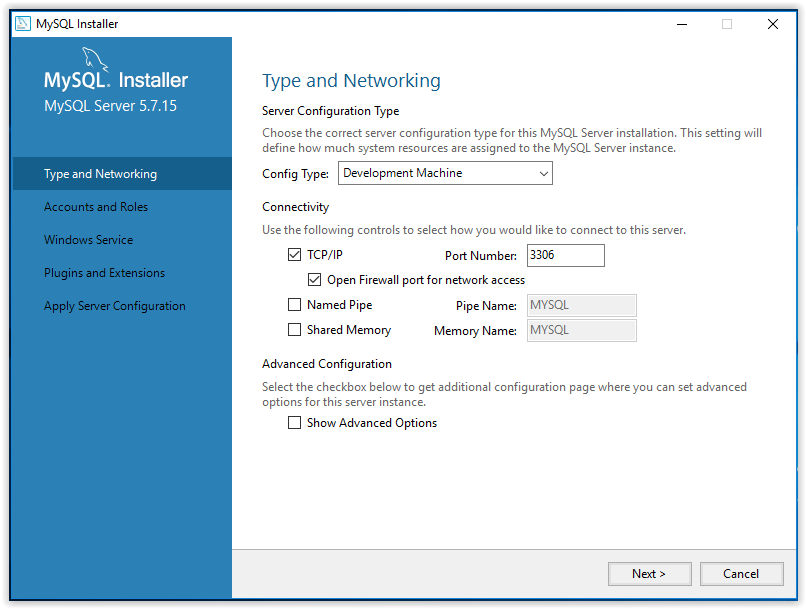
Open the MySQL Installer and select "Development Machine" as your configuration type.
*Leave the TCP/IP and Port settings as their default settings.
Step 1.2: Creating a Database User
Configure your username and password to something you'll remember.
User: root
Pass: ThisIsMyPassword
Step 2: Creating a Database
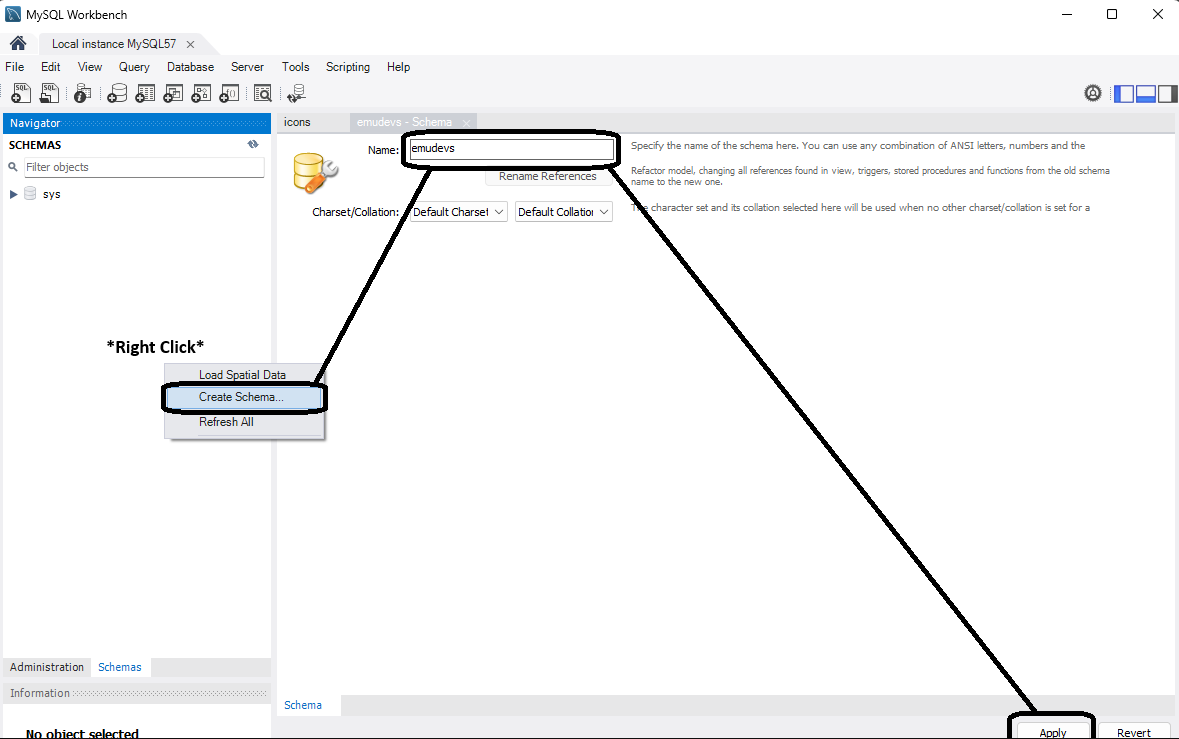
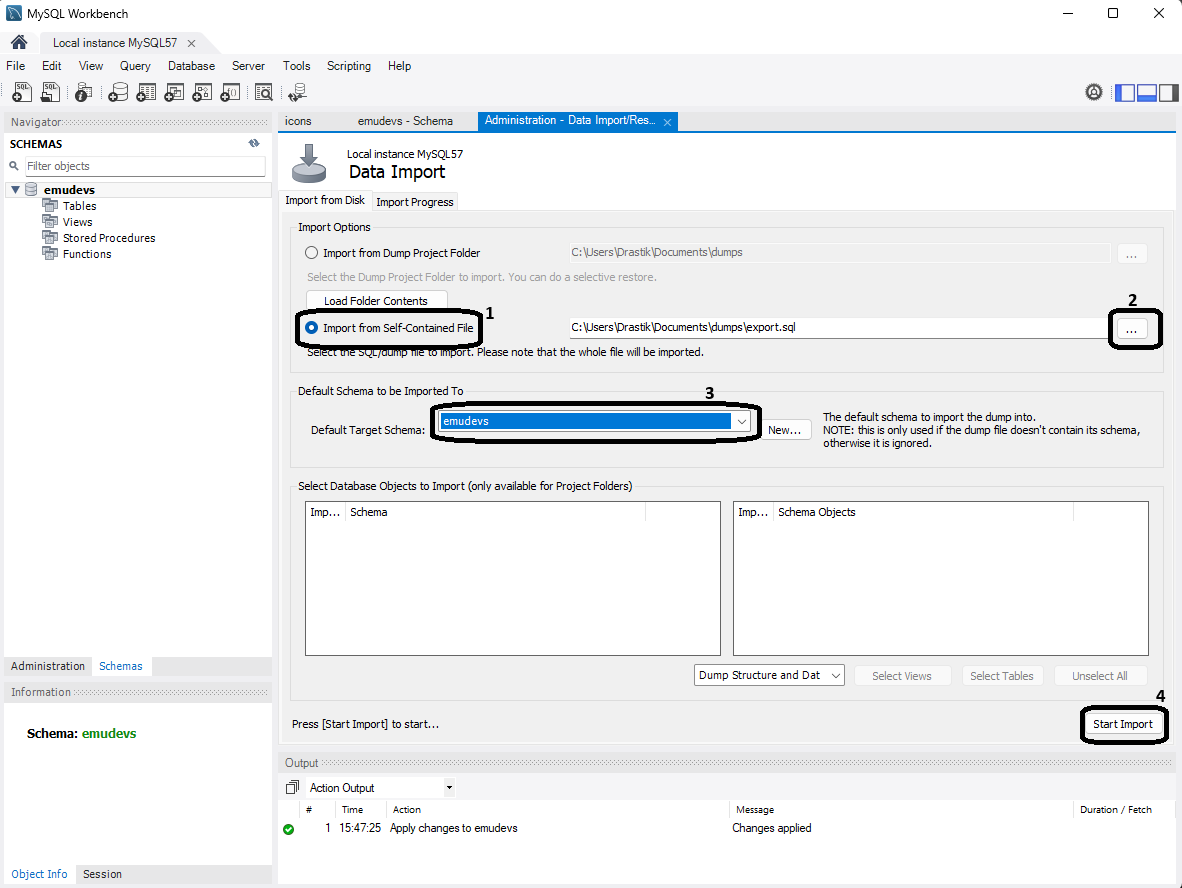
Create your database (schema) and import any SQL files required for your project.
You can do this by pressing the "Server" tab and selecting the "Data Import" option.
Note: You are able to name your database (schema) whatever you like.
Note: If your database is not in a self-contained file, select the "Import from Dump Project Folder" option.